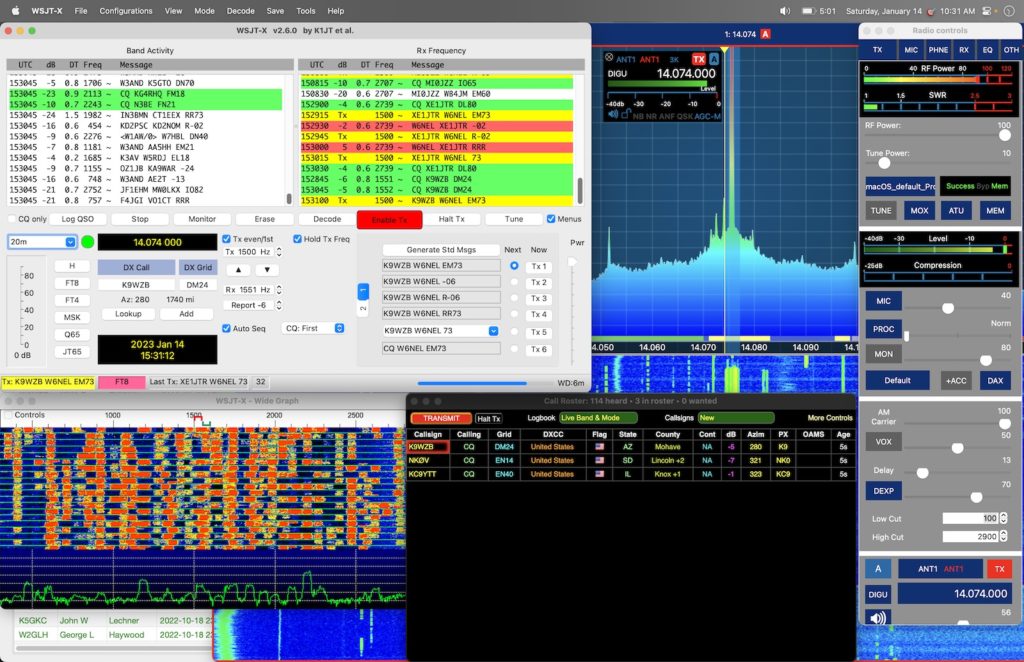

This is the how I layout my screen when working digital modes.[/caption]
This is my setup on a MacBook Pro M1 with Ventura 13.1 for a FlexRadio 6400 for Digital Modes. It is vital that the apps be launched in the order of SmartSDR, MacLoggerDX, WSJT-X, and finally Gridtracker because each one depends on the apps before it to be run.
This allows me to use my FlexRadio remotely and make the FT8/FT4 contacts that I am looking for without duplicates by clicking on station in Gridtracker’s roster with the contact automatically being uploaded to LOTW, QRZ, and eQSL. Then I follow-up by sending QSL cards via MacLoggerDX.
Software
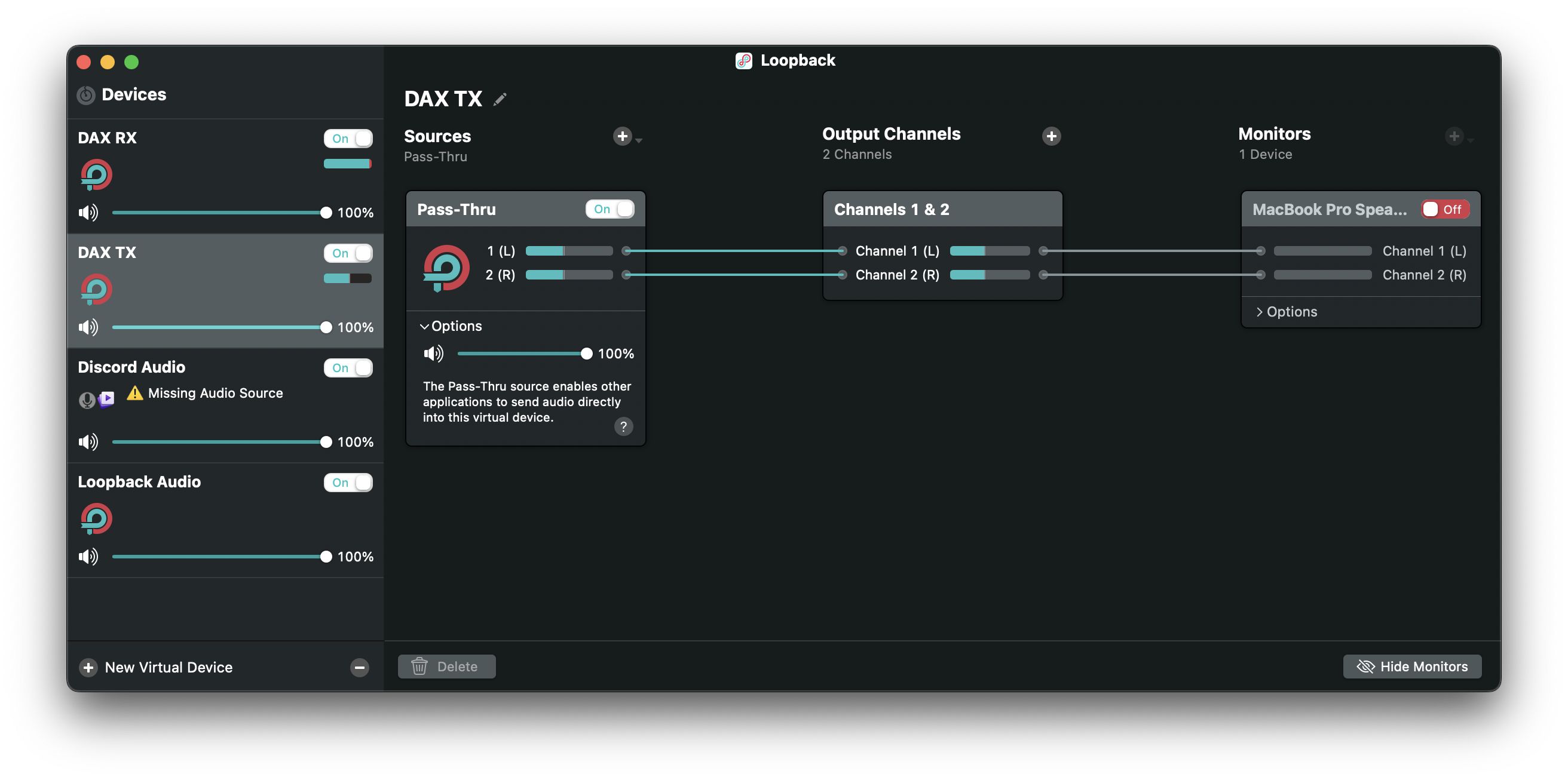
Loopback 2.2.12
https://rogueamoeba.com/loopback/
Create 2 Devices, DAX RX and DAX TX
SmartSDR 2.4.01
https://apps.apple.com/us/app/smartsdr-flexradio-systems/id1523656696
DAX Stream Settings- Check Enable DAX TX Streaming and choose Input Device DAX TX
- Check Enable DAX RX Streaming and choose Input Device DAX RX
[caption id="attachment_2562" align="aligncenter" width="215"]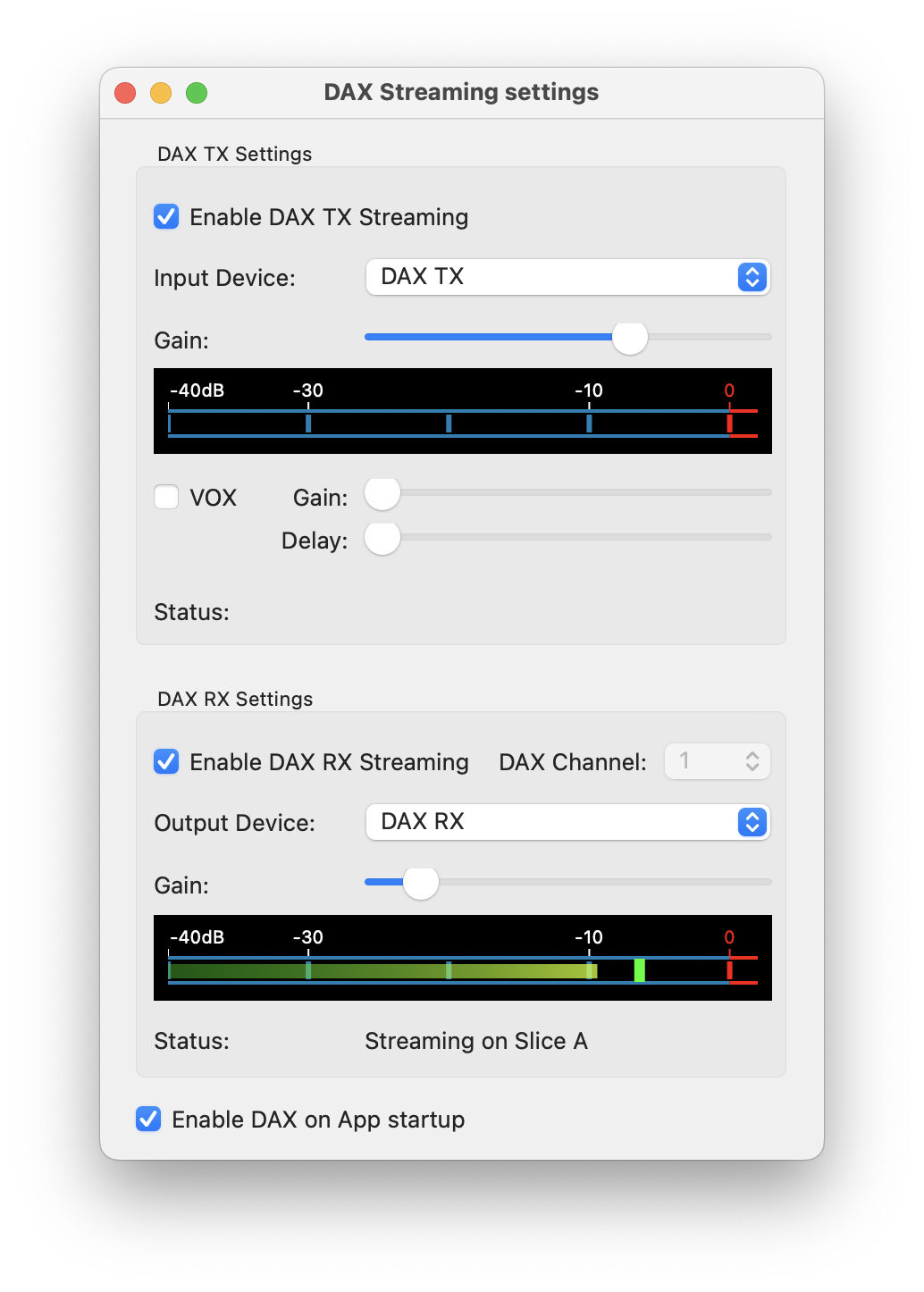 SmartSDR DAX Settings[/caption]
MacLoggerDX 6.43
https://www.dogparksoftware.com/MacLoggerDX.html
Preferences > Check WSJT-X and DX Lab TCP
[caption id="attachment_2561" align="aligncenter" width="300"]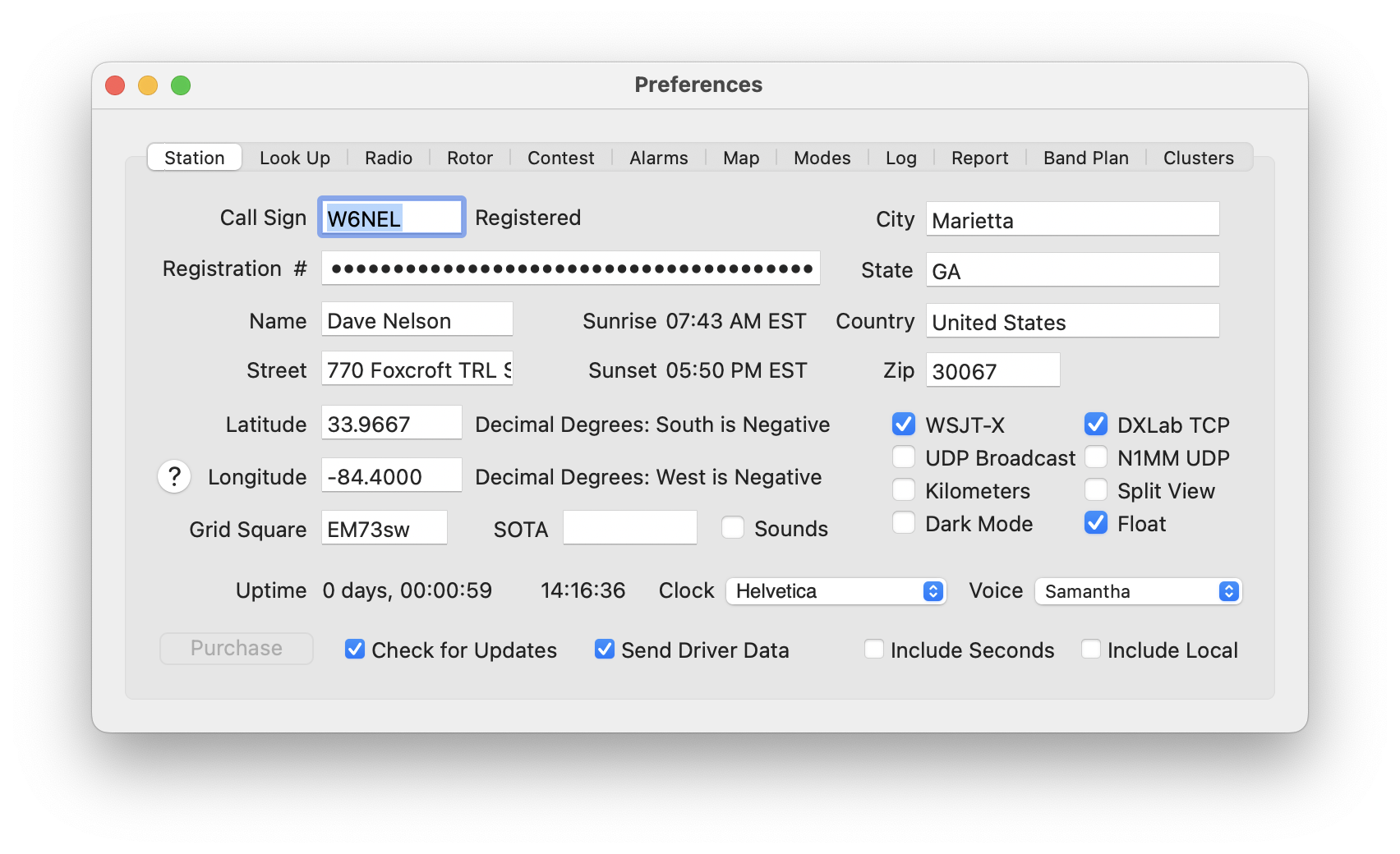 MacLoggerDX Station Settings[/caption]
[caption id="attachment_2560" align="aligncenter" width="300"]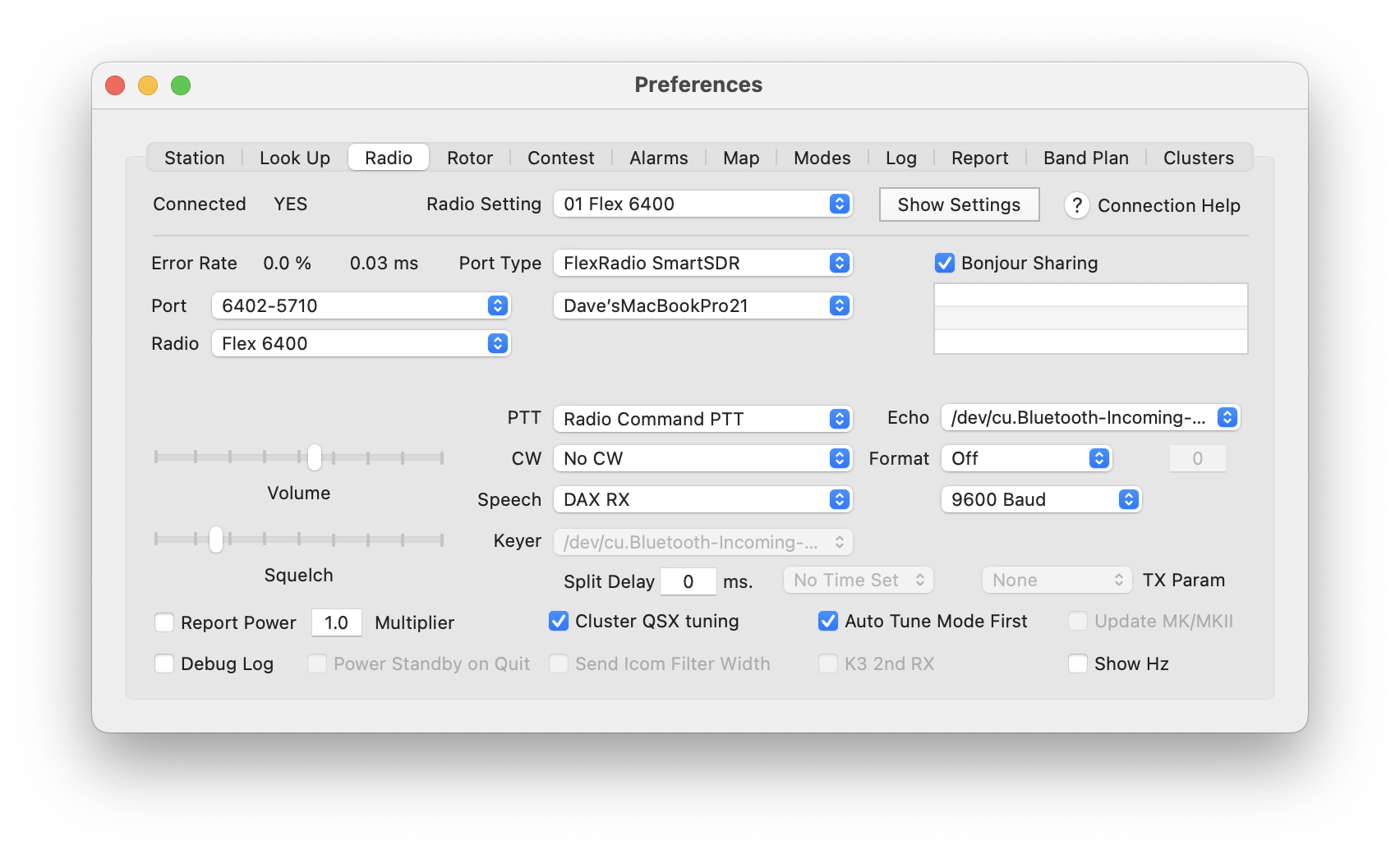 MacLoggerDX Radio Settings[/caption]
WSJT-X 2.6.0
https://gridtracker.org/index.php/downloads/gridtracker/gridtracker-releases/v1-23-0110/files
- Setting > Rig: DX Lab Suite Commander
- Network Server: 127.0.0.1:5002
- PTT: CAT
[caption id="attachment_2563" align="aligncenter" width="300"]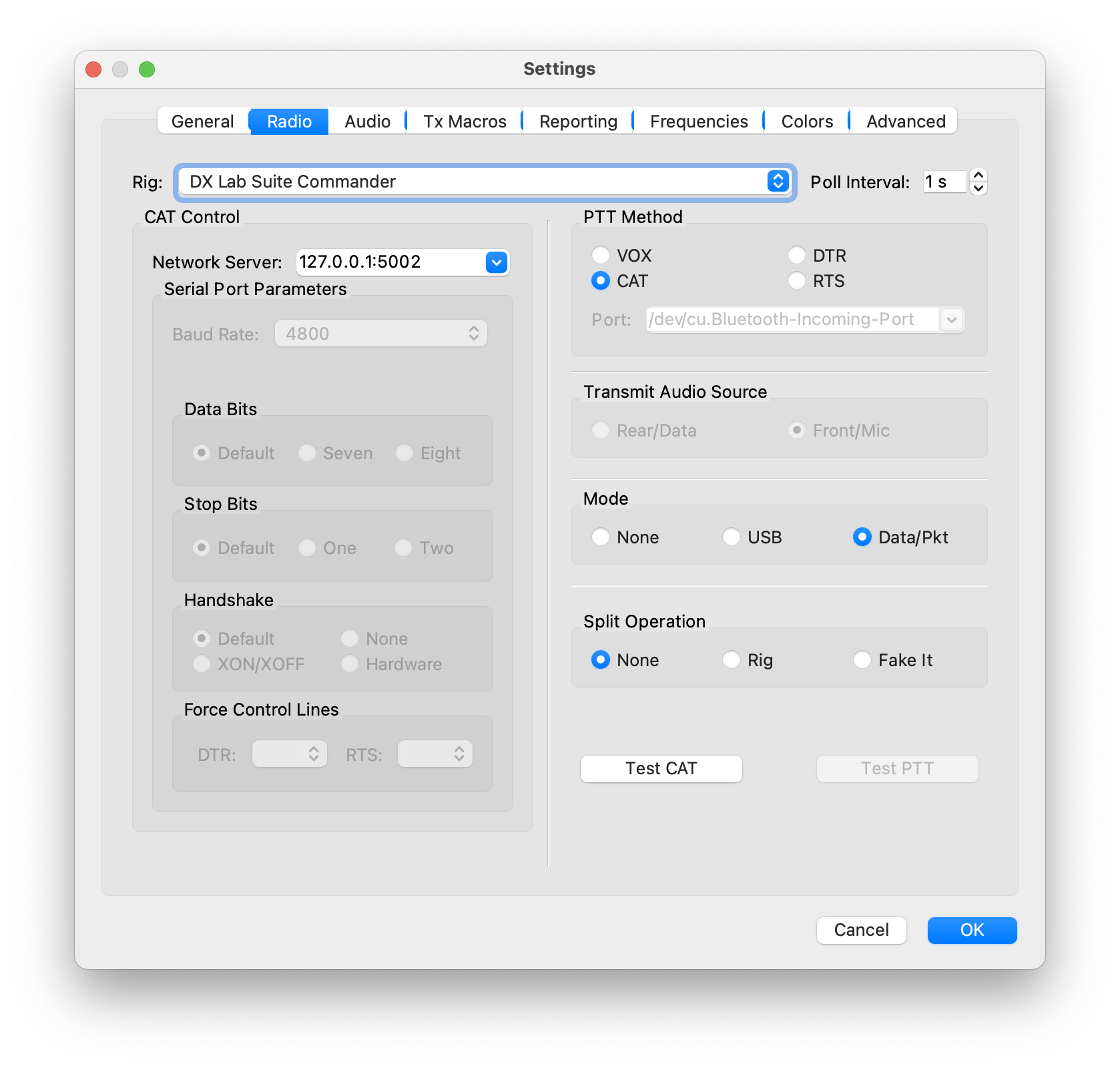 WSJT-X Radio Settings[/caption]
Gridtracker 1.23.0110
https://gridtracker.org/index.php/downloads/gridtracker
Receive UDP Messages from WSJT-X Port 2237
[caption id="attachment_2558" align="aligncenter" width="300"]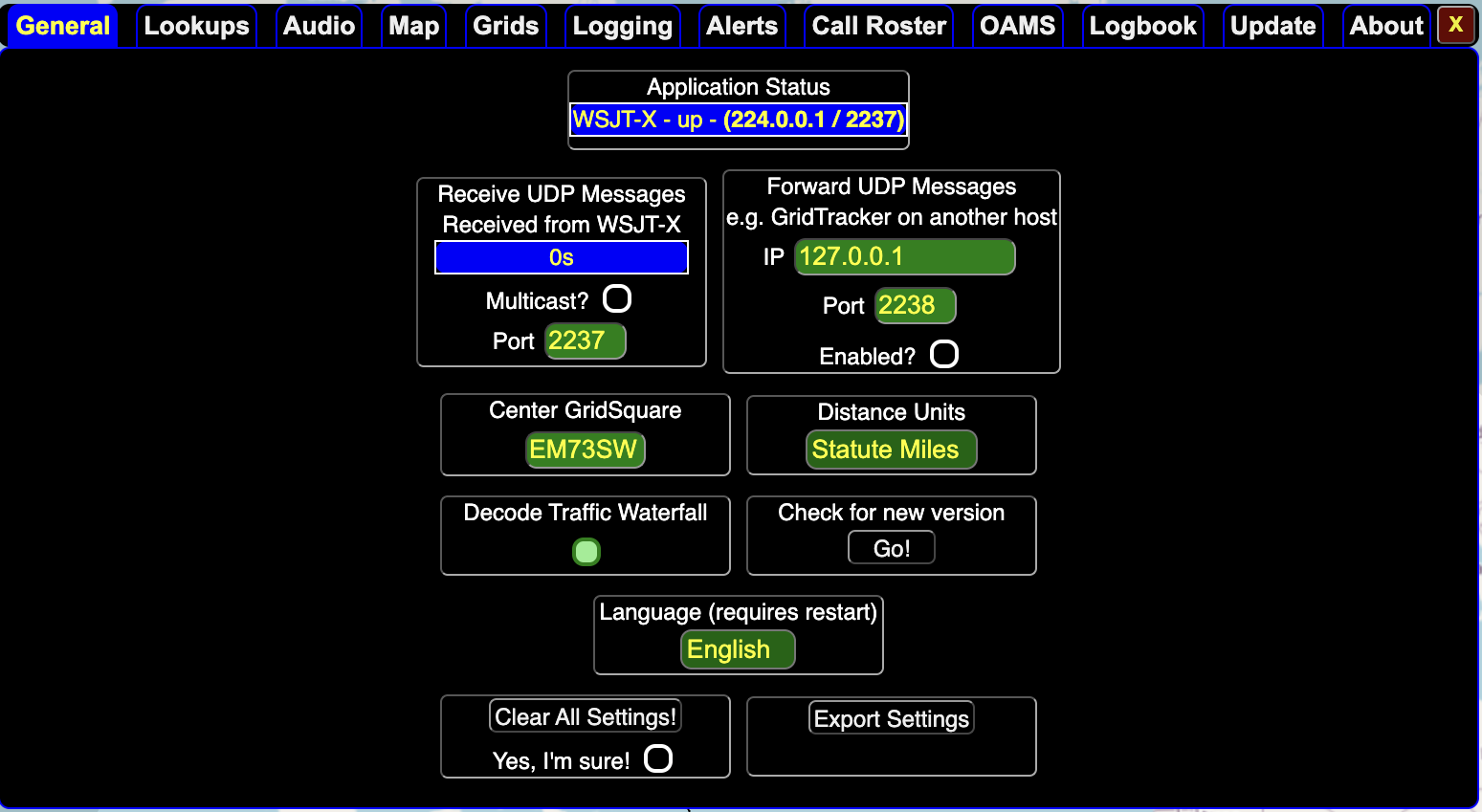 Gridtracker Settings[/caption]